


How to Access Simple Syllabus in Blackboard UlLtra
- Log into Blackboard and navigate to your course list to view all the courses you teach
with their respective identifiers.
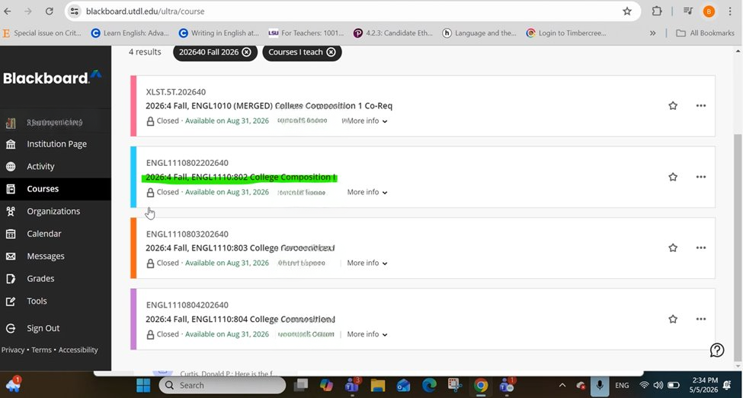
- Select your desired course to open the course homepage where you will find the main navigation menu and sidebar tools for Simple Syllabus.
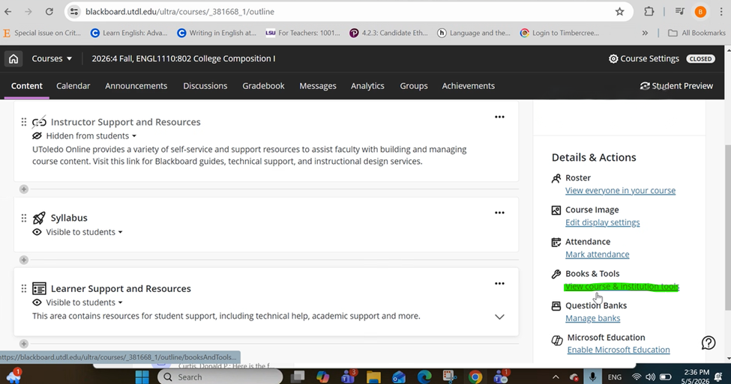
- Look in the right sidebar under Books & Tools and click "View course & institution tools" to access the syllabus management interface.
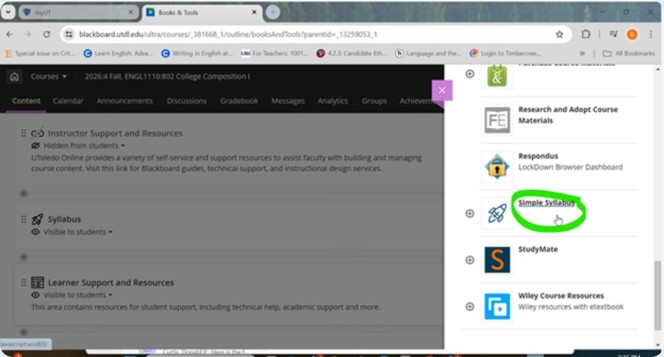
- The Simple Syllabus tool appears in your course's right sidebar alongside other integrated applications.
- Once clicked, you'll be directed to the syllabus management interface where you can
create, edit and publish your course syllabus.
Need help? Contact Fatmeh Alalawneh at 419.530.4017 or e-mail SimpleSyllabus@UToledo.Edu