


How to Manage Your Teaching Materials
Required Textbooks and Materials
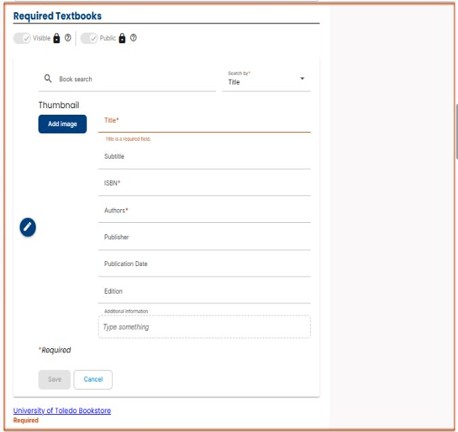
- The Required Textbooks section is required and public‑facing.
- At least one entry is required to complete the syllabus.
- Textbooks may be added by:
- Using the Book Search (search by title, author, or ISBN), or
- Entering textbook information manually.
- Book Search automatically populates fields such as title, ISBN, and thumbnail.
- If a course has no required textbook, a placeholder such as “No required textbook” may be entered.
- Textbooks that are part of an inclusive access or online platform may be listed with clarifying notes.
- This section supports state reporting requirements and must remain visible.
Required Ancillary Materials
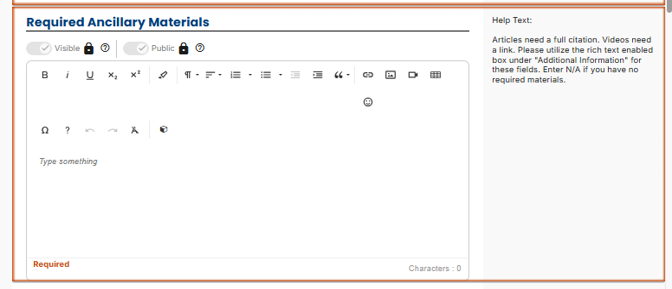
- The Required Ancillary Materials section is required and public‑facing.
- Use this section to list required non‑textbook materials, such as:
- Articles or book chapters,
- Equipment or supplies (e.g., lab materials, safety gear),
- Software, platforms, or online resources,
- Materials may be entered manually using a rich text editor.
- Full citations or links should be provided when applicable.
- Links to Blackboard, library resources, or external websites may be included.
- Images or thumbnails are optional.
- If no ancillary materials are required, “N/A” may be entered to satisfy the requirement.
Recommended Textbooks and Materials
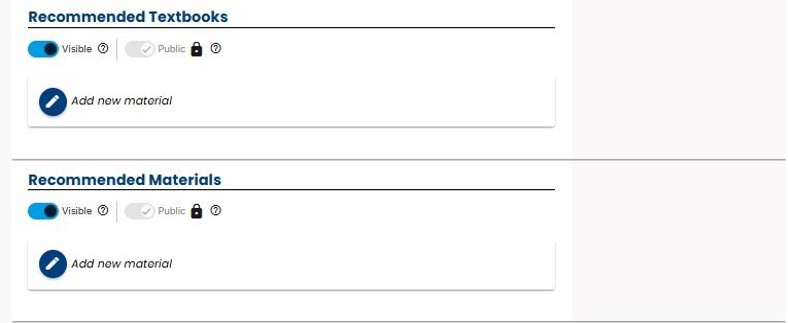
- The Recommended Textbooks and Materials sections are optional.
- This section is public‑facing when used.
- Use this section to list supplemental or optional resources that support learning.
- Recommended materials may be added using:
- Book Search, or
- Manual entry
- If no recommended materials are provided, the section may be left blank and will not display.
Need help? Contact Fatmeh Alalawneh at 419.530.4017 or email SimpleSyllabus@UToledo.Edu